
Introducing CoFee’s lead management system: Manage leads with built-in fee collection

A simple lead management system built for institutions to manage enquiries, follow-ups, and fee collection in one place.



Highlights
- CoFee eliminates fragmented workflows by bringing lead handling, follow-ups, admissions, and fee collection into a single connected platform.
- Instead of complex sales pipelines, CoFee supports fast-moving education enquiries from Meta ads, WhatsApp, calls, and walk-ins, helping teams respond faster and convert more students.
- From bulk imports to dashboards, timelines, reports, and instant student creation, every user gets a clean view of their responsibilities — reducing manual work and improving accuracy across the organisation.
When you hear “lead management system,” you’re probably thinking of big CRMs built for sales teams, agencies, and SaaS companies. Tools packed with features, automations, and setups meant for sales teams.
Great for closing corporate deals.
Not so great for schools.
Because education doesn’t work like a B2B sales cycle.
Schools, coaching centres, and test-prep institutes deal with fast-moving enquiries, parents who want quick answers, and admissions that often happen the same day. And after that comes the real work — setting up fees, sending reminders, and keeping payments on track.
Most lead management tools don’t understand this flow. They capture leads, but they don’t help with the part that matters most in education: converting enquiries into paying students and managing their fees in one place.
That’s the gap CoFee is solving. We built a lead management system designed specifically for institutions — one that connects enquiries, admissions, and fee collection into a single, clean journey.
And once you see how that flow works, it changes everything.
Why standard lead management tools don’t work for education workflows
There’s no shortage of great lead management systems in the market. Many are powerful, automated, and packed with integrations. And they work beautifully for the industries they’re built for.
But education runs on a completely different rhythm.
Schools, coaching centres, IELTS academies, and preschools don’t deal with “leads” the way a sales team does. They deal with parents and students who want quick information, instant clarity, and a smooth path to admission. Most enquiries come from Meta ads, WhatsApp messages, direct phone calls, website forms, walk-ins, or simple referrals.
The flow is fast, emotional, and time-sensitive — not a multi-stage sales pipeline with negotiations and proposals. It’s more like:
Enquiry → Conversation → Admission → Fee Payment.
This is where traditional CRMs fall short. Not because they’re weak — but because they’re built for a different world.
A school using a standard CRM usually ends up with a scattered setup:
- enquiries in a CRM
- follow-ups in WhatsApp
- statuses tracked in sheets
- fees handled separately in CoFee
- and a lot of manual copy-paste in between
Nothing is technically “wrong,” but the workflow is broken. Teams switch tools constantly, information gets lost, and parents feel the inconsistency.
And in education, the experience matters as much as the outcome.
This gap is exactly why institutions asked us for a lead management system built their way — one that doesn’t treat admissions like a sales funnel, but like a guided process that naturally continues into fee collection.
CoFee’s system closes that gap.
Get CoFee Now!
Collect—Remind—Track.
Simplify fee collection with a single platform.


Why CoFee built a lead management system
CoFee already handles the tough part of an institution’s workflow: fee collection, reminders, and payment tracking.
But the first half of the journey was still happening elsewhere. Teams were managing enquiries through a mix of WhatsApp, Excel sheets, Meta lead forms, phone calls, and whatever tool they could find that looked simple enough to use.
Everyone kept telling us the same things:
“We run Meta ads, and all enquiries land in a sheet. Then we call them manually.”
“We follow up in WhatsApp because it’s easier, but nothing stays organised.”
“By the time we enter the student in CoFee, the details are either outdated or incomplete.”
This back and forth was costing institutions time, accuracy, and conversions. It was not a technology problem. It was a workflow problem.
So we decided to remove the handoff completely.
CoFee now brings enquiry, follow-up, conversion, student onboarding, and fee setup into one continuous flow. No switching apps. No retyping information. No stitching together two systems that were never designed to work together.
Just one simple journey from lead to fee collection.
How CoFee’s lead management system fits into real admissions workflows
Institutions handle enquiries in many different ways. Meta ads send leads into Excel sheets. WhatsApp messages come in throughout the day. Parents call directly. Some walk in. The volume adds up quickly, and most teams do not have a clean place to organise everything.
CoFee’s lead management system brings every enquiry, every follow-up, and every conversion into one workflow. Here is how each part works.
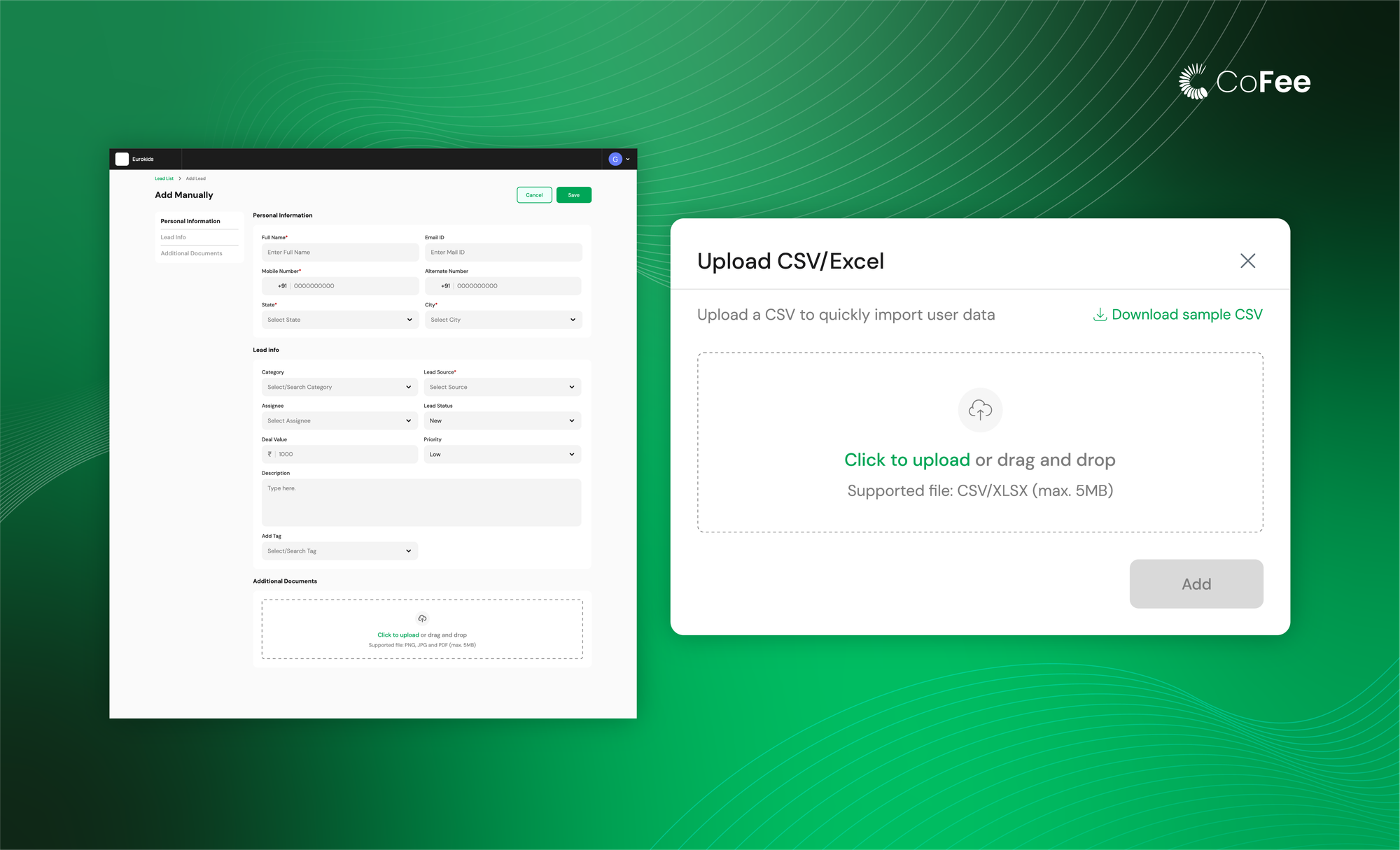
1. Add or import leads in seconds
Most institutions collect leads from different sources, but the information usually lands in sheets or WhatsApp. CoFee lets you bring all these enquiries into one place without any complicated setup.
You can add a single lead manually using a simple form, or import a full list using Excel or CSV. All details, such as name, phone number, source, category, tags, and status, are captured cleanly. CoFee also provides an Excel template for making things easy. This helps teams start their day with an organised list instead of scattered inputs.
2. Filter, sort, and search through leads easily
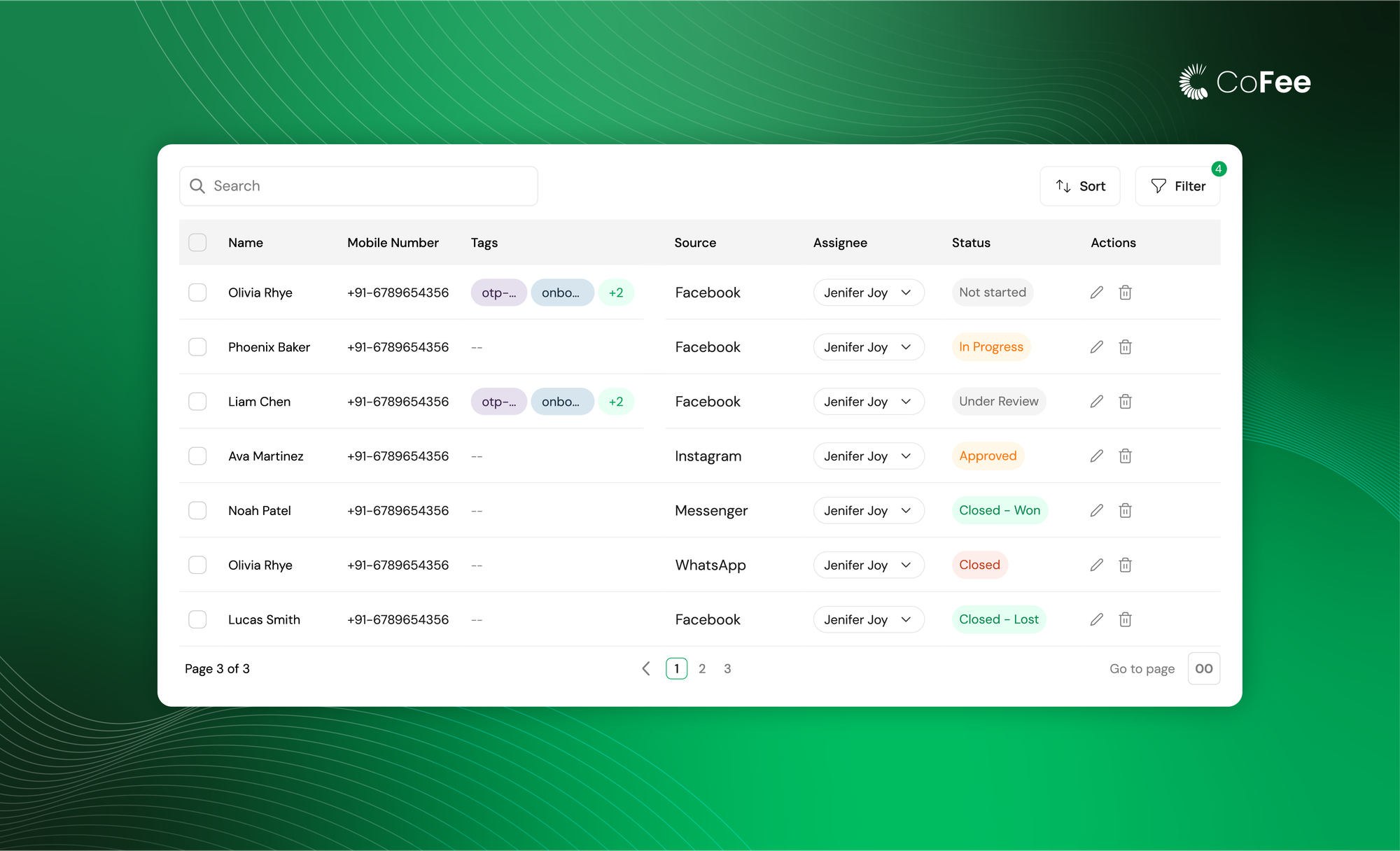
Once leads are added, they appear in a clean, easy-to-read list. The most important information is visible upfront: phone number, source, tags, assignee, and status. Agents can filter, sort, and search through the list to focus on what needs attention first.
This view becomes the home screen for sales managers and agents. It replaces the need for multiple sheets and helps everyone stay aligned.
3. Keep every follow-up organised in one place
Following up with leads is where most teams lose track. Messages spread across WhatsApp, notes written on paper, missed reminders, and details forgotten. CoFee brings everything related to a lead into a single, organised profile so nothing slips through.
Each lead has its own page with four clear sections:
(i) Activities
This is where most day-to-day work happens. Teams can add three types of actions:
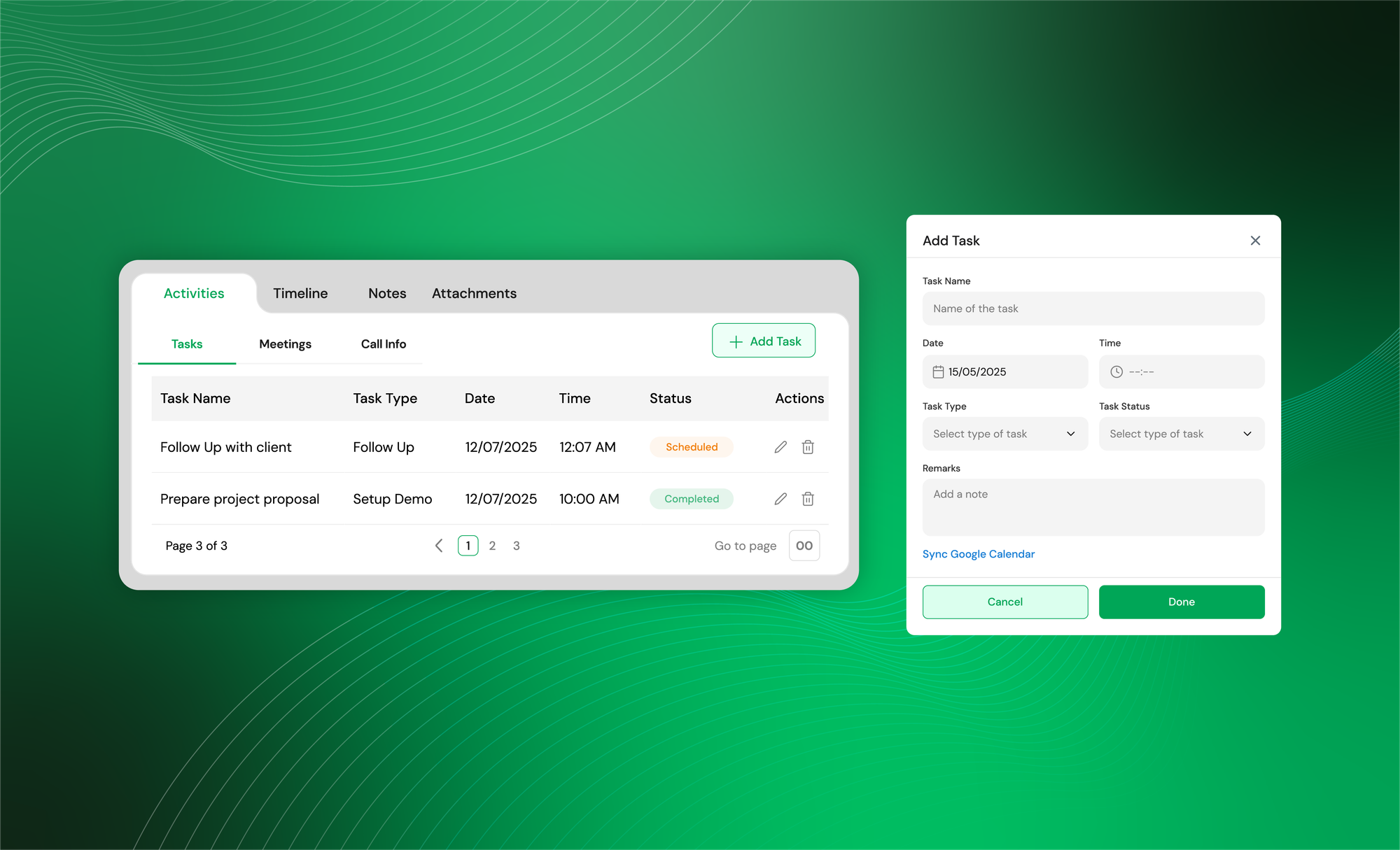
Tasks
Set follow-up tasks with date, time, type, and status. These tasks can also sync with Google Calendar so reminders show up even outside CoFee.
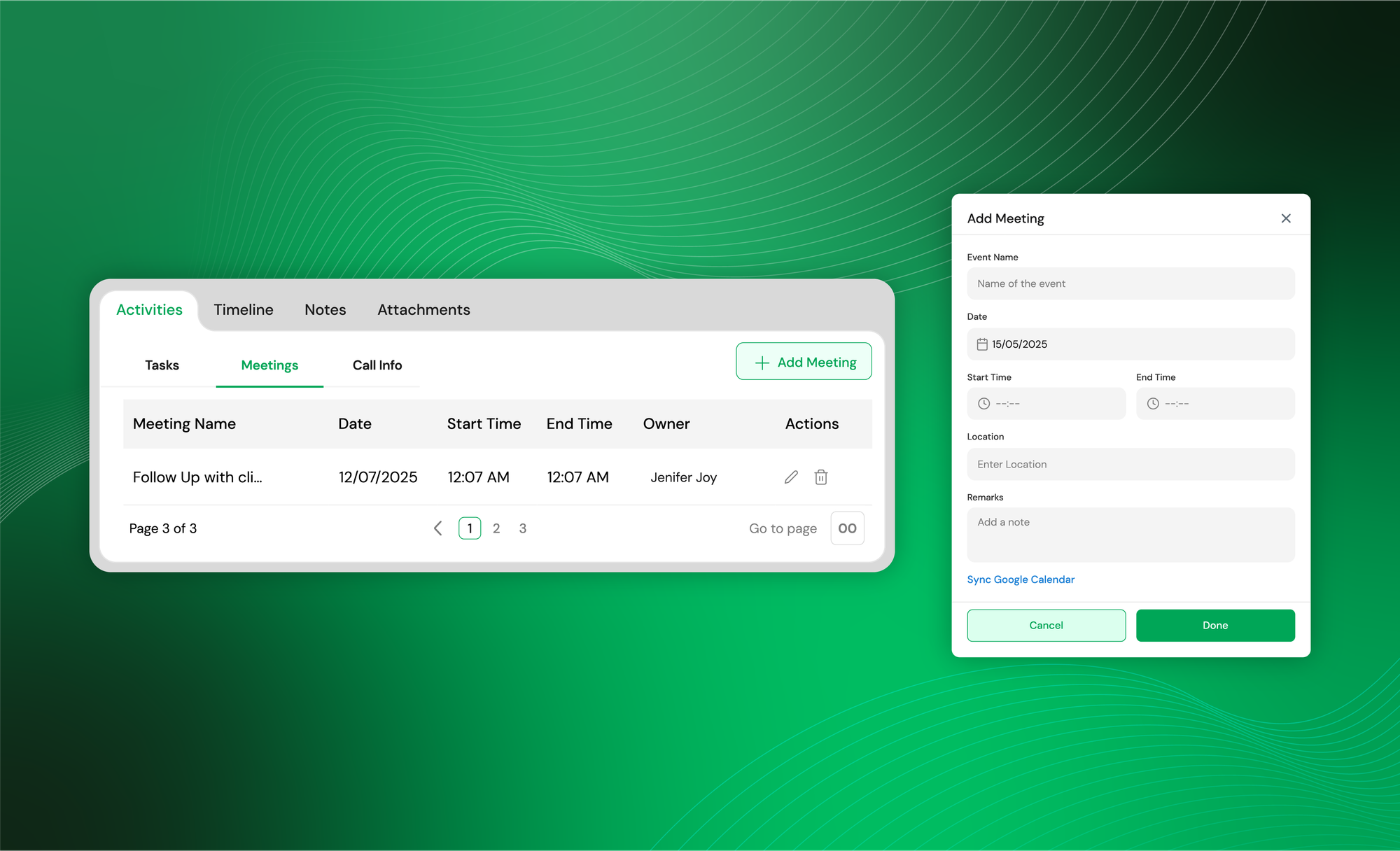
Meetings
Schedule counselling sessions, demo classes, or parent meetings with start and end times. You can add the meeting location and notes too.
Call info
Log every call with the parent or student. Mark whether it was inbound or outbound, note the outcome, and track what was discussed.
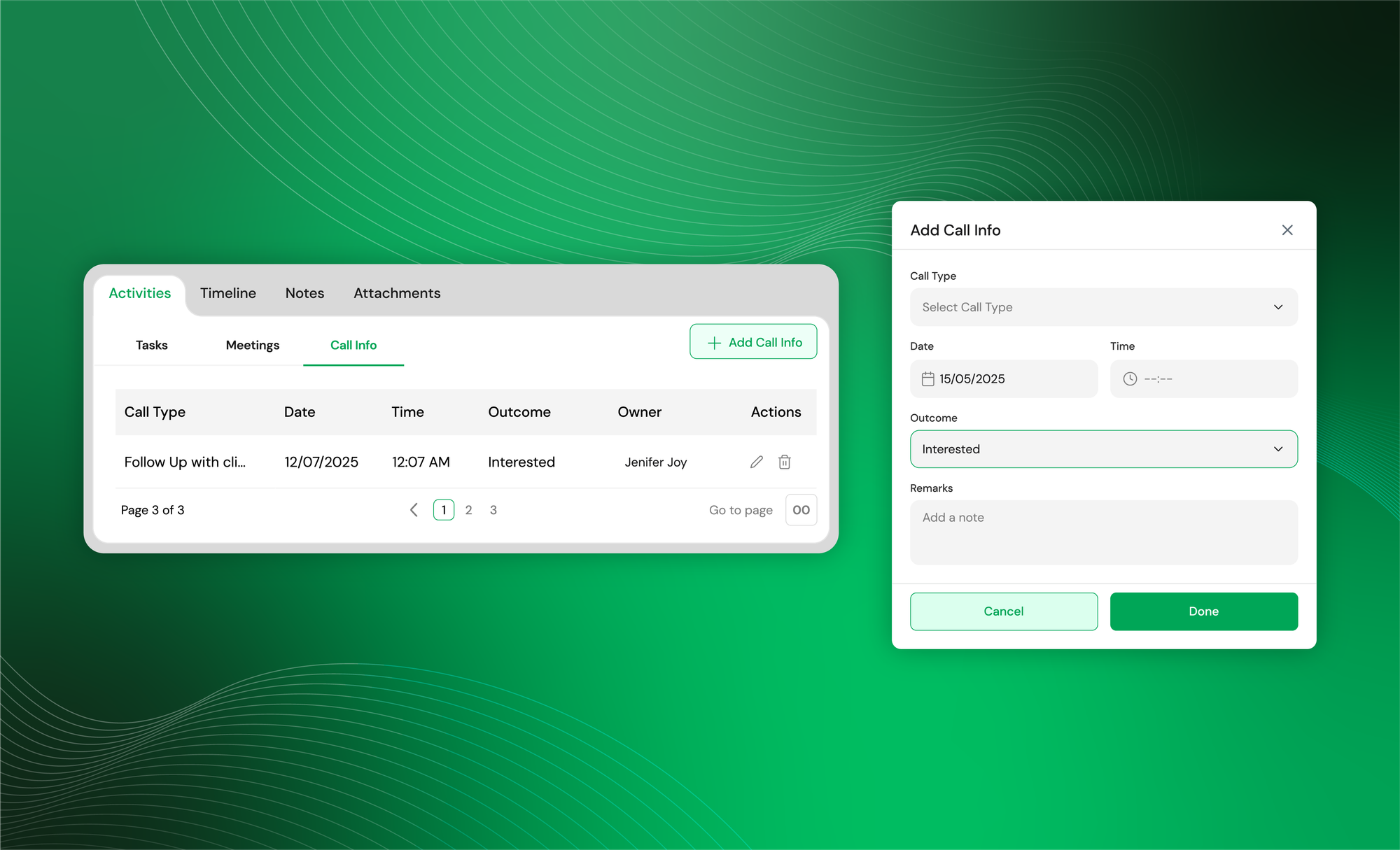
These activities help agents stay consistent and make follow-ups smoother.
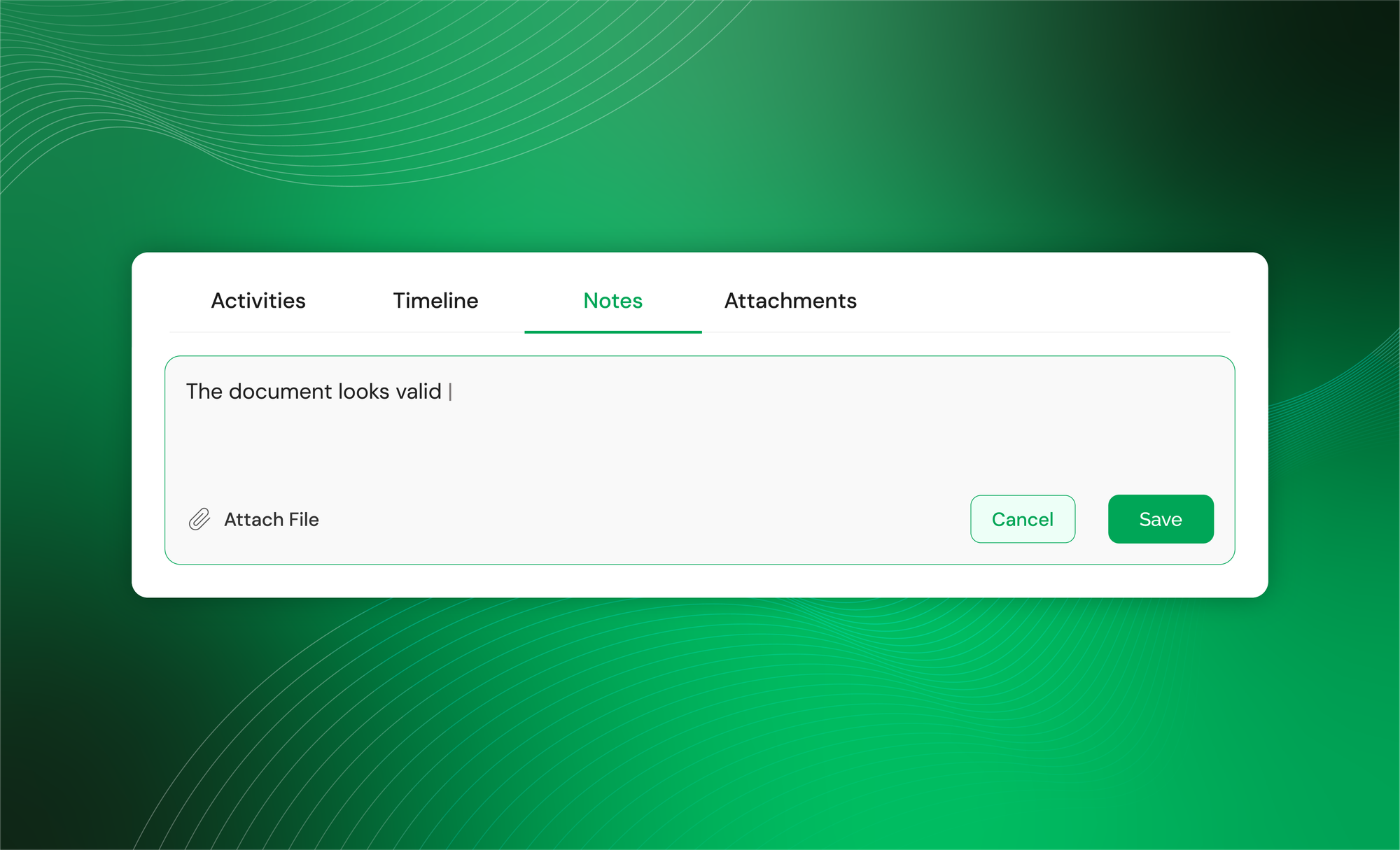
(ii) Notes
A simple space for any extra details that do not fit into a task or call. Counsellors usually use this to jot down preferences, concerns, or special instructions. It keeps context handy for the next conversation.
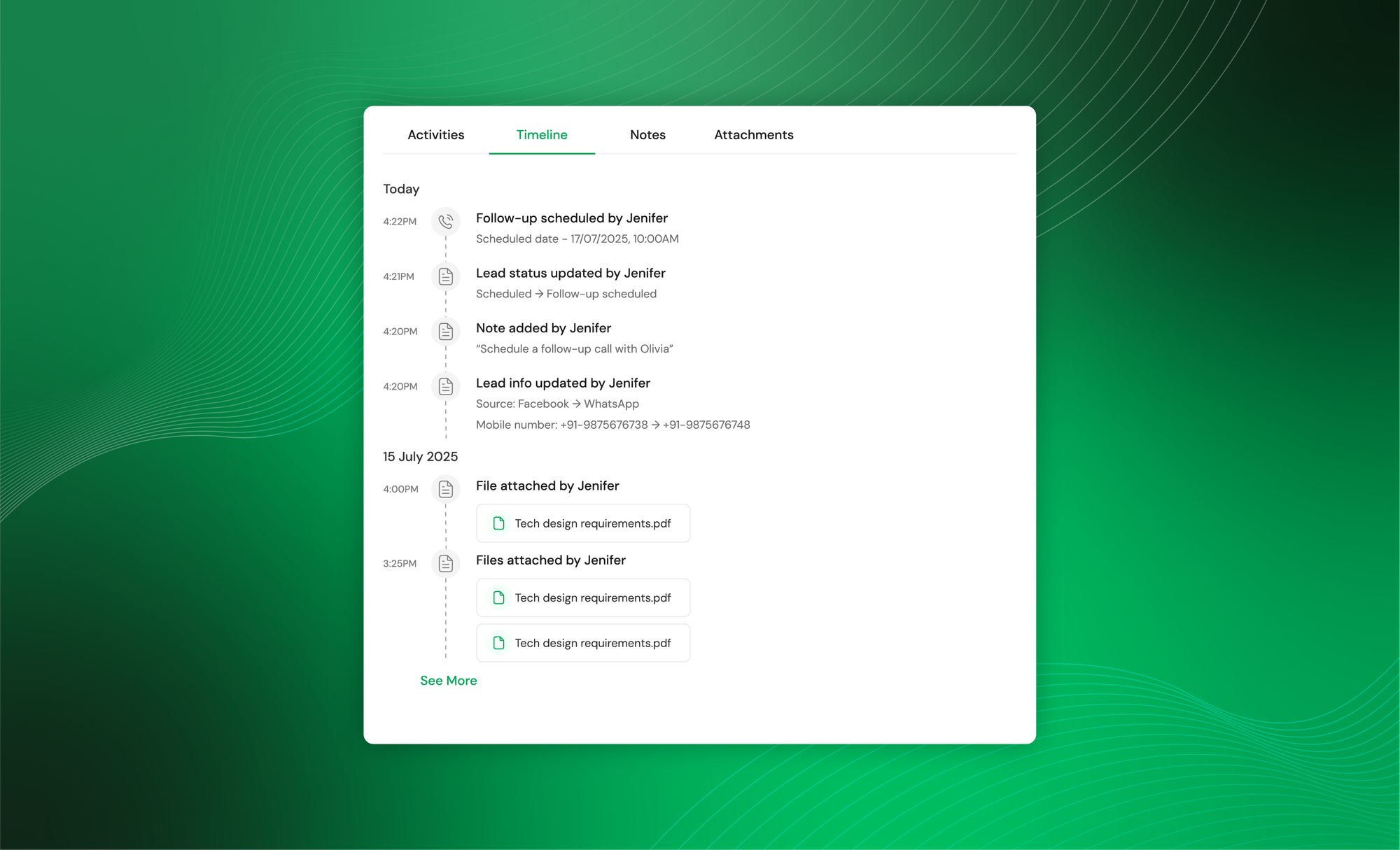
(iii) Timeline
The timeline shows everything that has happened with the lead so far. Tasks created, calls logged, meetings added, status updates, or tags applied. Everything is arranged chronologically so anyone can understand the full history at a glance.
This is especially useful when multiple staff members handle the same enquiry.
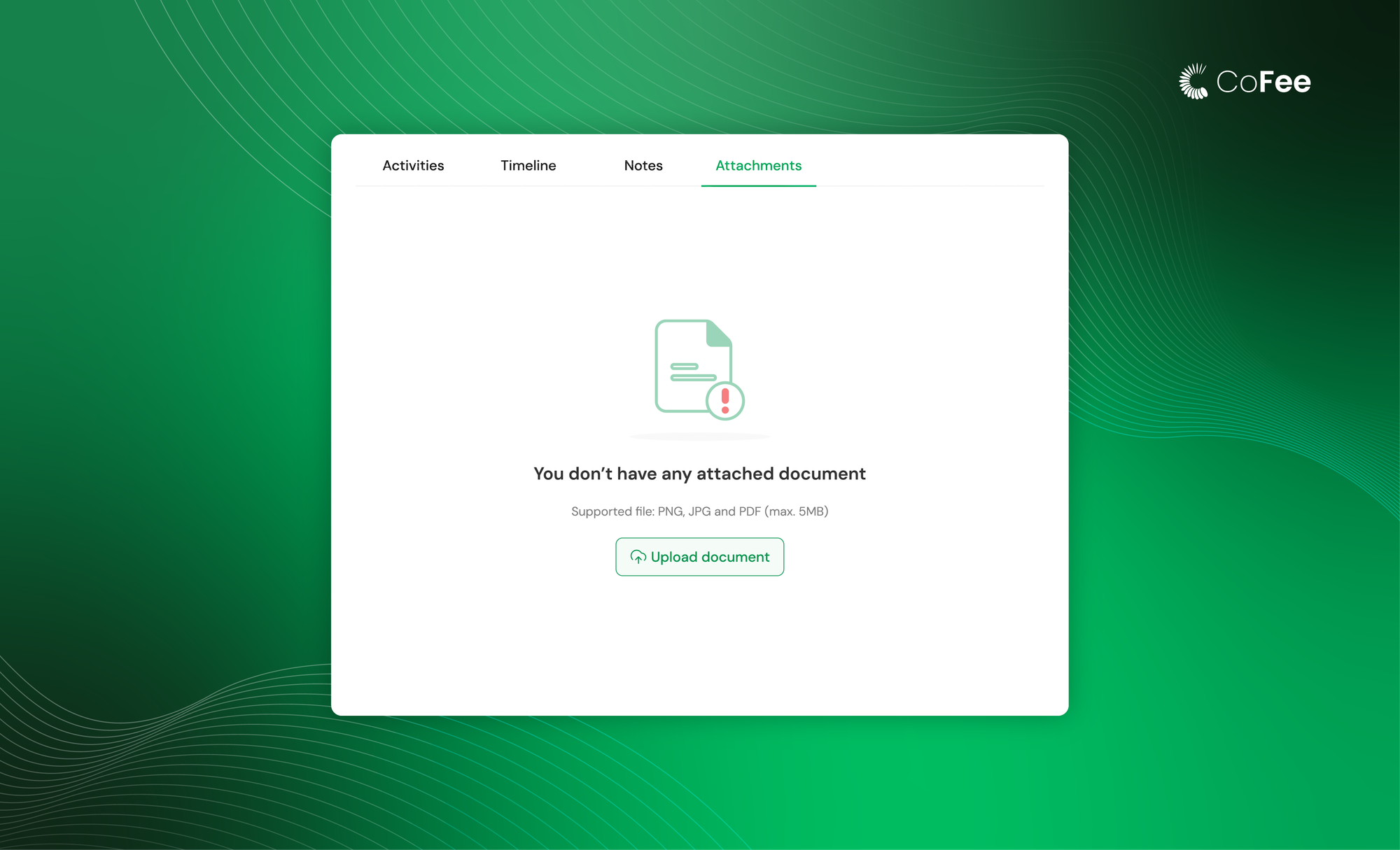
(iv) Attachments
Sometimes, leads come with documents like ID proofs, previous certificates, or any file that the institution needs before admission. Attachments let you upload and store these files safely inside the lead profile.
4. A personal dashboard for managers and agents
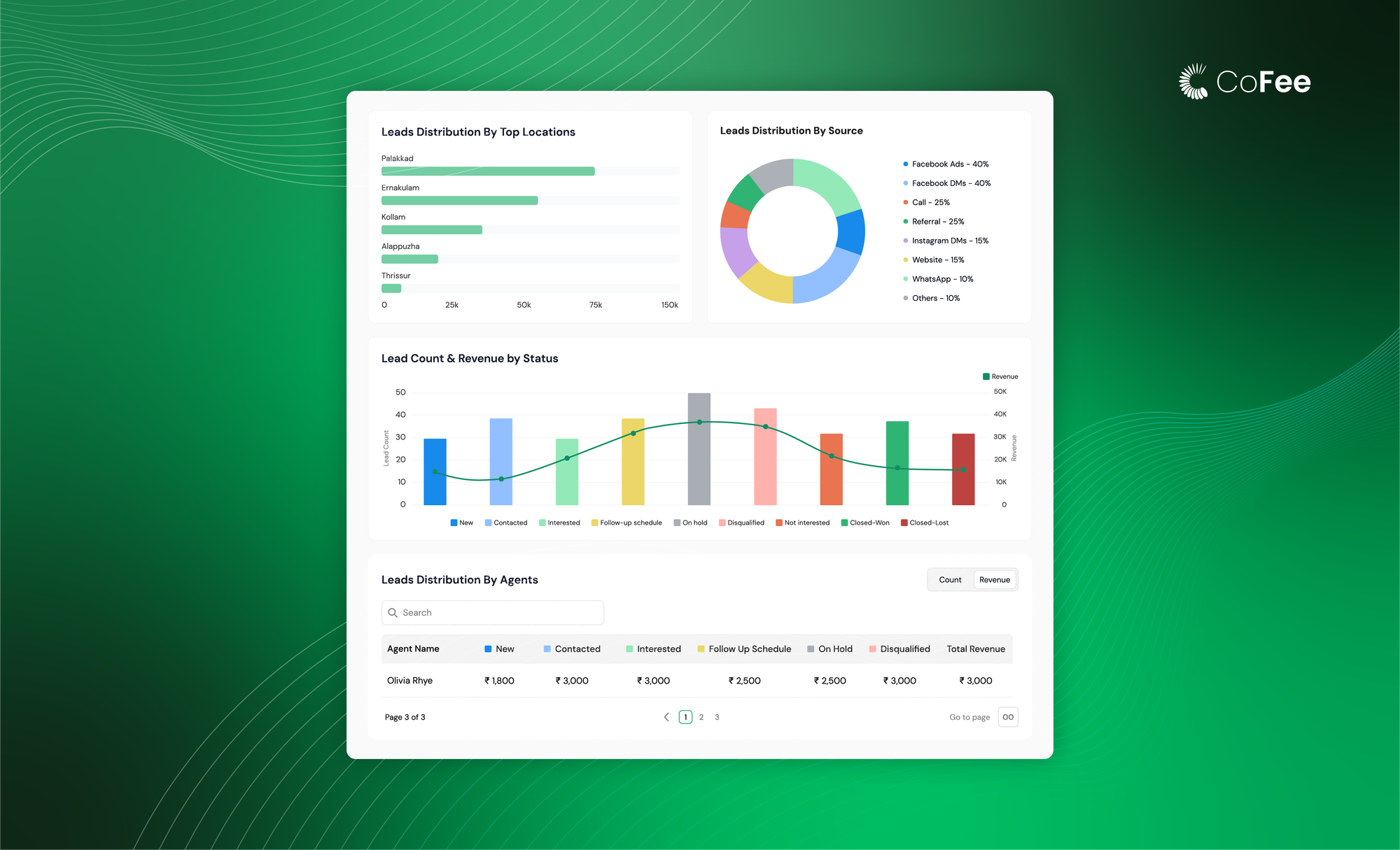
Managers need a wider view. CoFee shows key metrics such as total leads, expected revenue, conversion rates, and lead distribution across categories, sources, and agents. This helps them understand what campaigns are performing well, which stages have drop-offs, and what the upcoming admissions pipeline looks like.
Instead of asking for manual updates or checking multiple sheets, managers get everything in one dashboard.
Agents see only what is relevant to them. Their personal dashboard shows the number of leads assigned, how many need updates, and what tasks are pending for the day. It reduces clutter and gives each staff member a clear direction on what to do next.
5. Detailed reports for planning and reviews
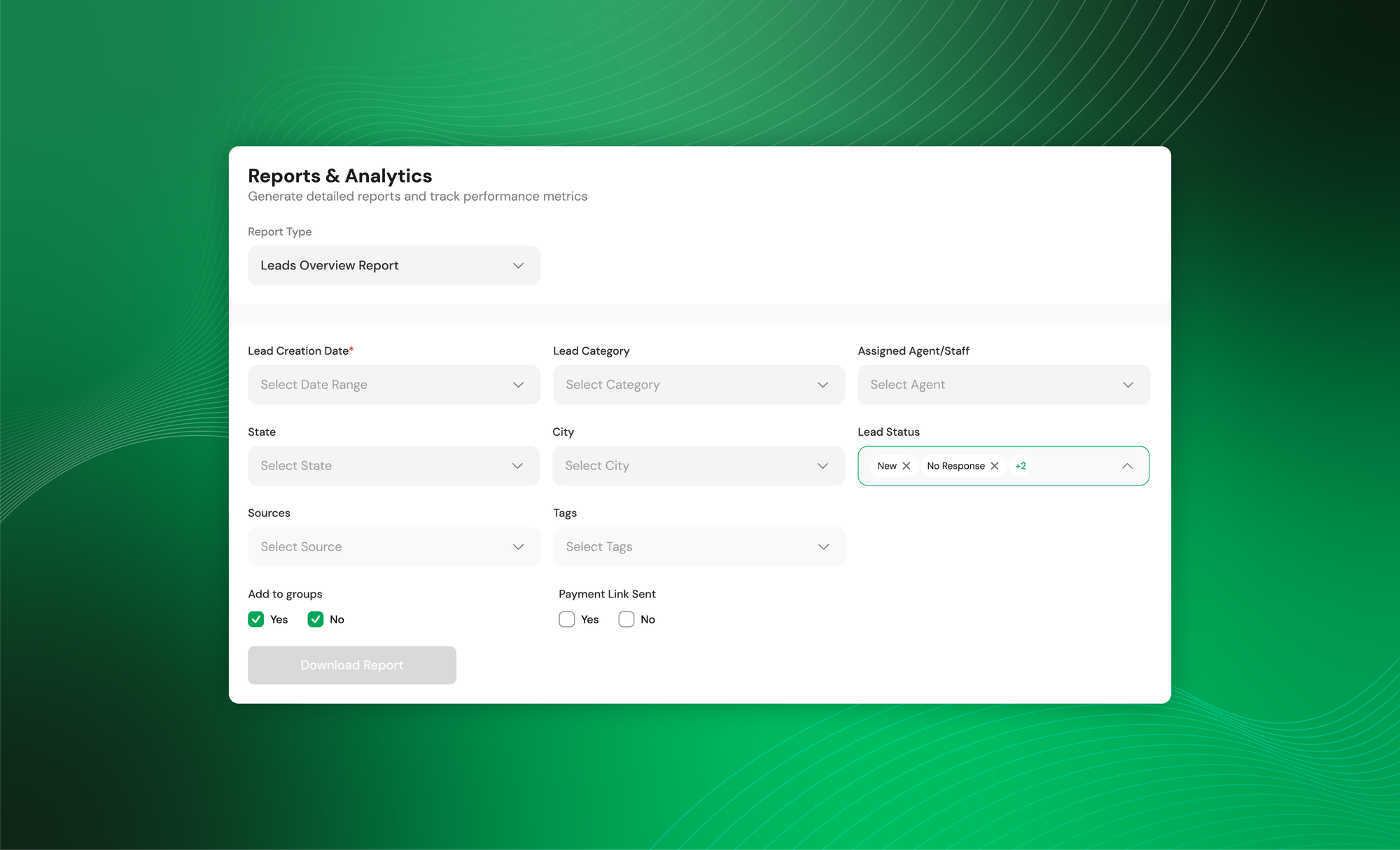
CoFee provides two essential reports: a Lead Overview Report and an Agent Performance Report. They help institutions analyse trends, track follow-up quality, and understand which sources bring the best results.
These reports are simple enough for daily use and detailed enough for monthly reviews.
6. Convert leads into students instantly
This is where CoFee completes the workflow. When a lead converts, you can turn it into a student profile with one click. All details entered earlier flow automatically into the student record.
From there, fee plans can be added, payment links sent, reminders started, and receipts generated. Institutions no longer need to switch between platforms or re-enter information.
7. Different users, different views
CoFee’s lead management system supports the roles institutions already work with.
Organisation Admin
Has full visibility across leads, follow-ups, conversions, and fee-related actions.
Sales Manager
Handles all leads across the organisation. Can assign work, track reports, and view agent activity. Sales managers can also invite other sales members to the platform.
Sales Agent
Sees only their assigned leads, tasks, meetings, and calls. Their personal dashboard helps them stay focused on what needs attention each day.
Automate your
fee collection today.

Lead management and fee collection on the same platform
This is where CoFee stands apart from every other lead management system in the market:
- One workflow from enquiry to payment instead of switching between a CRM, WhatsApp, sheets, and a fee app.
- When a lead converts, the student profile is created instantly with no manual entry.
- Fee plans, reminders, receipts, and tracking start right after conversion.
- Reports cover both admissions progress and actual fee collection, not just lead numbers.
- Teams save time because everything sits in one place, making follow-ups and onboarding faster.
Why this matters for the education ecosystem
Institutions don’t run traditional sales cycles. They handle high-volume enquiries with short decision windows. The real outcome isn’t closing a “deal,” it’s onboarding a student and collecting fees.
That requires:
- speed
- clarity
- accuracy
- a connected workflow
This is exactly what CoFee delivers.
A traditional CRM can’t close this loop. A fee-only platform can’t manage enquiries.
CoFee’s lead management system sits right in the middle — unifying both.
Final word
With this update, institutions finally get some breathing room. No more juggling between scattered tools or trying to force systems that were never built for how admissions actually work. And this is only the beginning. The CoFee team is constantly identifying the small gaps that slow down schools, academies, coaching centres, sports and arts institutes. Our goal is simple: use the right technology to make everyday work easier for admins, principals, teachers, and staff.
If you want a smoother way to handle enquiries and move families through a clean admission and fee flow, CoFee is ready to help.
Get CoFee Now!
Collect—Remind—Track.
Simplify fee collection with a single platform.
Frequently Asked Questions
1. Who can use CoFee’s lead management system?
Schools, coaching centres, preschools, sports academies, music and art institutes, or any organisation that handles student enquiries and recurring fees.
2. Do I need a separate CRM if I use CoFee?
No. CoFee covers enquiries, follow-ups, admissions, and fee collection in one place. Most institutions won’t need an additional CRM.
3. Can I import leads from Meta ads or other platforms?
Yes. You can import all leads using an Excel or CSV file. CoFee also provides a ready template to make it easy.
4. Can multiple user personas work on the same leads?
Yes. Sales managers, agents, and admins can collaborate with clear assignments, notes, timeline history, and activity logs.
5. What happens after a lead converts?
The lead becomes a student profile instantly. Fee plans, payment links, reminders, and receipts can be activated right away.